What Is Software Testing? A Complete Beginner’s Guide
Introduction
In today’s fast-paced digital world, every business relies on software applications to deliver exceptional user experiences. But behind every seamless app lies a thorough process of software testing. Testing ensures that an application functions correctly, meets user expectations, and performs reliably under different conditions. Whether you are a developer, QA engineer, or beginner exploring software testing fundamentals, understanding its purpose and principles is the first step toward building quality software.
This guide explores the basics of software testing, its challenges, common types, and the most popular software testing tools used by professionals today.
What is Software Testing?
Software testing is the process of evaluating a software application to identify bugs, performance issues, or security vulnerabilities before it reaches end users. The main goal is to ensure that the software performs as expected and delivers a smooth experience across different environments and devices.
In simple terms, testing verifies whether the developed product matches the business requirements. It helps teams detect and fix issues early, reducing the overall development cost and improving product reliability.
Understanding software testing basics involves knowing the two main types: manual testing and automated testing.
Manual testing requires testers to manually execute test cases without using automation tools.
Automated testing uses scripts and specialized tools to perform repetitive tests efficiently.
Both approaches are crucial, and the choice depends on the project type, timeline, and complexity.
Challenges in Software Testing
Even with well-defined testing strategies, QA teams face several challenges that can affect efficiency and product quality. Some common challenges include:
Time Constraints – Tight release schedules make it difficult to perform extensive testing, especially for large applications.
Frequent Requirement Changes – As project requirements evolve, test cases often need updating, which can delay releases.
Complex Test Environments – Setting up and maintaining test environments that mimic production conditions can be time-consuming.
Limited Resources – Insufficient testing tools or skilled professionals can lead to missed defects.
Integration Issues – When different modules or APIs interact, compatibility testing becomes essential to avoid integration failures.
Overcoming these challenges requires the right balance of planning, tool selection, and automation strategy.
Types of Software Testing
Understanding the different types of software testing helps QA teams select the most suitable approach for their projects. Here are some of the most common testing types used in the industry:
Unit Testing – Tests individual components or functions of a software to ensure each part works as expected.
Integration Testing – Checks how different modules interact with each other.
Functional Testing – Validates whether the application performs according to the specified business requirements.
Performance Testing – Measures how well the application performs under different loads and conditions.
Regression Testing – Ensures that new updates do not break existing functionalities.
User Acceptance Testing (UAT) – Conducted by end users to confirm the system meets their needs before final release.
Security Testing – Identifies vulnerabilities to protect data and prevent unauthorized access.
Each type contributes to delivering a stable and secure product while maintaining user satisfaction.
Top Software Testing Tools
Choosing the right software testing tools can significantly improve testing efficiency and accuracy. Below are popular tools that are widely used by QA professionals.
1. Testsigma
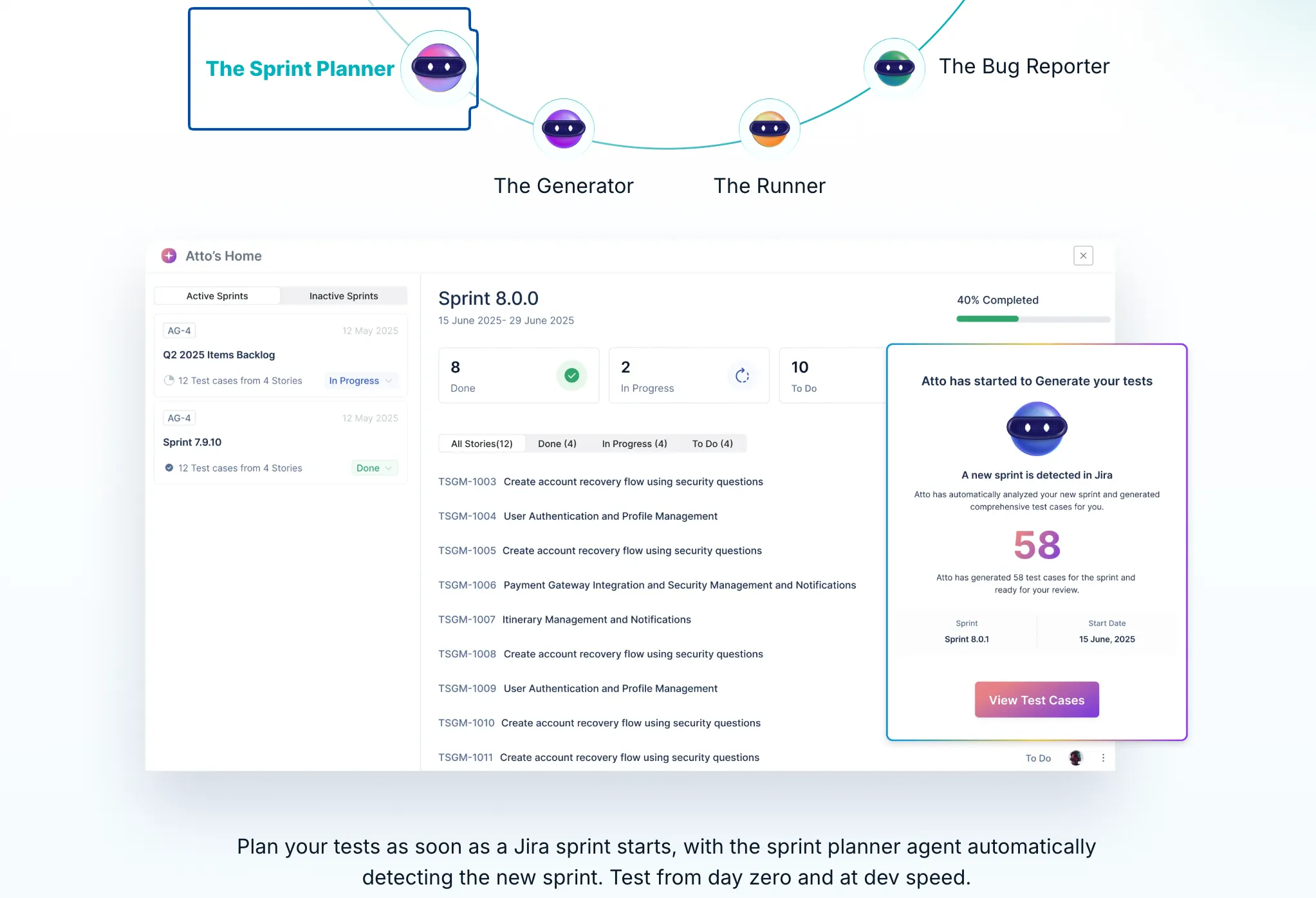
Overview: Testsigma is a cloud-based, AI-driven automation platform that supports web, mobile, and API testing.
Key Features:
No-code test creation
Cross-browser and cross-device support
Real-time reporting and integrations
Pros: Easy to use, scalable, supports continuous testing
Cons: Internet connectivity required for cloud execution
2. End Test

Overview: End Test is a versatile automation testing tool that allows users to create and execute tests without coding knowledge.
Key Features:
Cloud execution and browser compatibility
Video recording of test sessions
Detailed result tracking
Pros: Great for beginners, good reporting features
Cons: Limited advanced customization options
3. Leapwork

Overview: Leapwork enables automation through a visual flow-based interface, making it accessible to both testers and non-technical users.
Key Features:
Visual test design
Integration with CI/CD tools
Supports desktop, web, and ERP systems
Pros: Easy setup, good for enterprise environments
Cons: Higher learning curve for complex flows
4. Cypress

Overview: Cypress is a JavaScript-based testing framework widely used for front-end web applications.
Key Features:
Fast, real-time test execution
Built-in debugging
Developer-friendly syntax
Pros: Excellent for web testing, open-source
Cons: Limited support for mobile and cross-browser testing
Factors to Consider While Choosing the Best Software Testing Tool
Selecting the right tool involves evaluating both technical and business needs. Here are key factors to consider:
Ease of Use: Choose a tool with a user-friendly interface and minimal setup requirements.
Integration Capability: Ensure it integrates smoothly with CI/CD pipelines and other tools in your workflow.
Test Coverage: The tool should support multiple platforms such as web, mobile, and APIs.
Scalability: It must handle growing project sizes and testing volumes efficiently.
Community Support: Strong documentation and active user communities help in resolving issues quickly.
Cost: Consider both upfront and long-term maintenance costs before making a decision.
Evaluating these aspects helps you find a software testing tool that enhances productivity and ensures consistent quality delivery.
Conclusion
Software testing plays a crucial role in ensuring that modern applications meet quality, functionality, and performance expectations. Understanding the software testing fundamentals from its types to common challenges enables teams to plan better testing strategies.
With the right combination of knowledge and software testing tools, organizations can detect bugs early, reduce time to market, and enhance user satisfaction. As technology evolves, continuous learning and tool evaluation remain essential to staying ahead in the quality assurance domain.
About the author
QA tester, tech enthusiast, and testing blogger who enjoys uncovering bugs and making apps run smoothly. I love learning new things, sharing testing tips, and connecting with fellow techies to help build better software together.
Comments
Join the discussionNo comments yet. Be the first to comment.
